
What players say
Colorful Canvas delivers a polished digital coloring experience that works on any device with a browser. The twelve scenes offer enough variety to keep the activity fresh, while the adjustable brush and eraser give real control over the final result. Saving and printing options add practical value, making it easy to share or display finished pieces. The lack of downloads or accounts removes barriers to entry, so anyone can start creating immediately. It is a well-designed tool for both casual fun and more focused artistic expression.
About this game
Getting Started with Colorful Canvas
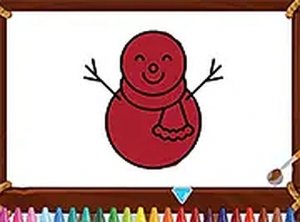
Colorful Canvas presents a straightforward way to enjoy digital art without any complicated setup. The interface is designed for immediate use, allowing anyone to pick a scene and start applying color right away. There are twelve different pictures to work with, each offering a unique composition that invites personal interpretation. Whether you prefer broad, sweeping color fields or careful, detailed work, the tools provided support both approaches. The entire experience runs directly in a web browser, so there is no need to install software or create an account. This makes it easy to return to your artwork at any time from any compatible device.Toolkit for Creative Expression
The application includes a set of tools that give you control over how you apply color. A color palette offers a wide selection of shades, letting you choose exactly the tone you want. You can adjust the brush size to cover large areas quickly or to add fine details with precision. If you make a choice you do not like, an eraser tool allows you to remove color from specific spots without affecting the rest of your work. This flexibility encourages experimentation, as you can try different color combinations and correct mistakes easily. The tools are responsive and work well whether you are using a mouse on a desktop or a touch screen on a mobile device.Completing and Sharing Your Artwork
Once you finish a piece, Colorful Canvas provides options to preserve your work. You can save a digital copy directly from the browser, which you can then store on your device or share with others. There is also a print function that lets you create a physical version of your art. This feature is useful for displaying your work at home or for giving as a handmade gift. The ability to save your progress means you can work on a scene over multiple sessions, picking up where you left off without losing any changes. This makes the experience flexible and accommodating to different schedules.Accessibility Across Devices
Colorful Canvas is built to work smoothly on both desktop computers and mobile devices. The layout adjusts to different screen sizes, so the tools remain easy to use whether you are on a phone, tablet, or laptop. The game runs in full-screen mode for a more immersive experience, but you can also use it in a smaller window if you prefer. Because everything happens in the browser, you can switch between devices without worrying about transferring files or reinstalling software. This cross-platform compatibility means you can enjoy coloring at home, during a commute, or while traveling, as long as you have an internet connection.Compatibility
This H5 game runs smoothly on:
• Desktop computers (Windows / Mac) • Mobile phones (iPhone / Android)
• Tablets (iPad / Android)
🌐 Best experienced with Chrome, Safari, or Edge
FAQ
Is Colorful Canvas free to use?
Yes, Colorful Canvas is completely free to play. There are no hidden costs, subscription fees, or in-app purchases. You can access all twelve scenes and every tool without paying anything.
Do I need to download anything to play Colorful Canvas?
No downloads are required. The game runs entirely in your web browser. This means you can start coloring immediately without installing any software or plugins on your computer or mobile device.
Can I use Colorful Canvas on my tablet or phone?
Yes, the game is designed to work on mobile devices as well as desktop computers. The interface adapts to touch screens, so you can color using your finger or a stylus on tablets and smartphones.
How many different pictures are available to color?
Colorful Canvas includes twelve unique scenes. Each scene has a different theme and layout, providing variety and allowing you to choose images that match your mood or interest.
Can I save my progress and come back later?
Yes, you can save your work at any time. The game allows you to save a digital copy of your colored scene, which you can store on your device and return to later to continue editing or to share with others.
Is Colorful Canvas suitable for young children?
Absolutely. The simple interface and easy-to-use tools make it accessible for children. There are no complex instructions or inappropriate content, making it a safe and engaging activity for kids.
03 Player Comments
Sign in to comment
You must be logged in before posting a review or rating.
No account? Create one
No comments yet. Be the first to comment!